 BuckyMedia
Download from the tab you're already on.
The extension talks directly to the BuckyMedia desktop app: it sends the current page's URL over, and hands back every format the app found — no copy-pasting links.
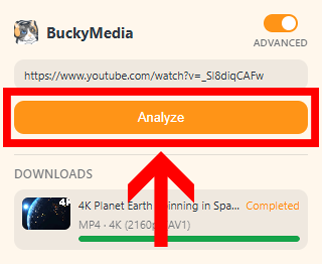
Analyze the current tab
Open the extension and click Analyze to scan the page you're on for downloadable video and audio. Flip the switch in the top-right corner any time to move between Simple and Advanced mode.
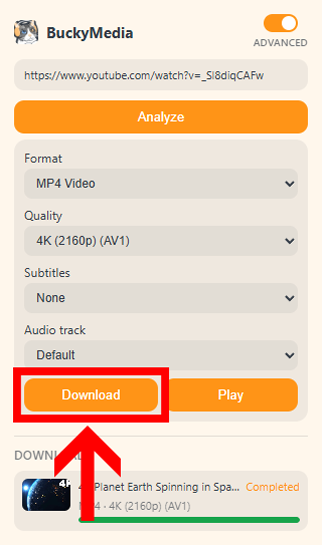
Choose your settings and download
Pick format, quality, subtitles and audio track, then click Download. The file downloads through the desktop app, then you can monitor the progress of your downloads and your history in the browser extension.
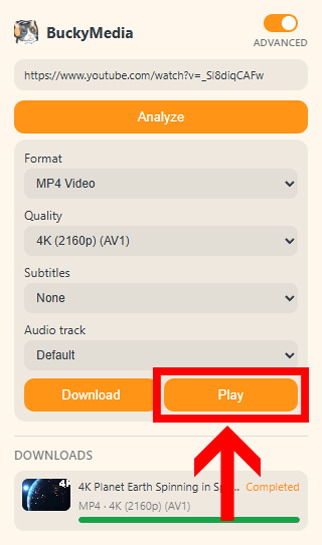
Or just play it
Click Play to send the video straight to BuckyMedia's built-in player in mini-player mode, so you can keep watching in a small floating window over everything else. This feature is in development (Beta).
Install the extension
Free, and it works alongside the desktop app you already know.